Before you begin
Request API access for your organization and create an API key.
To call the Doss API you need three things:
- A Doss account
- API access enabled for your organization
- An API key, created by an admin in your organization
Request API access
The Doss API is in closed release, so it isn’t turned on for any organization by default. To request access, your enterprise admin or account owner contacts your Doss account team. After Doss enables access, you can get an API token from app.doss.com when you log in with an admin account. Until you generate the key and have an active key, the endpoints will not be accessible and will error out.
Create an API key (admins)
API keys belong to your organization, not to an individual user. Only admins can create or revoke them.
- Sign in to Doss with your admin credentials.
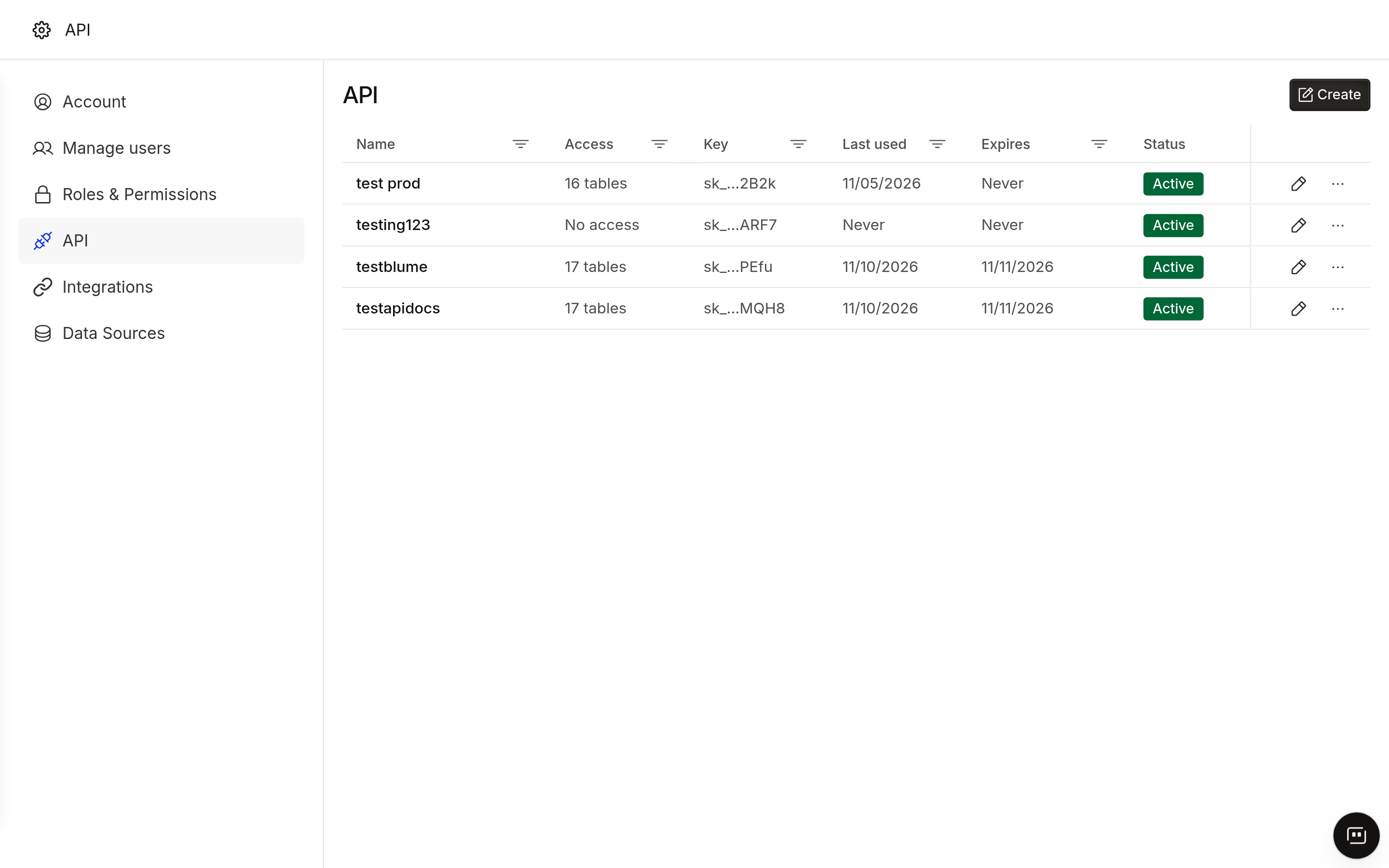
- Click on your name on the left nav and open Account. In the Account page, navigate to the API section.
- Click Create API key.
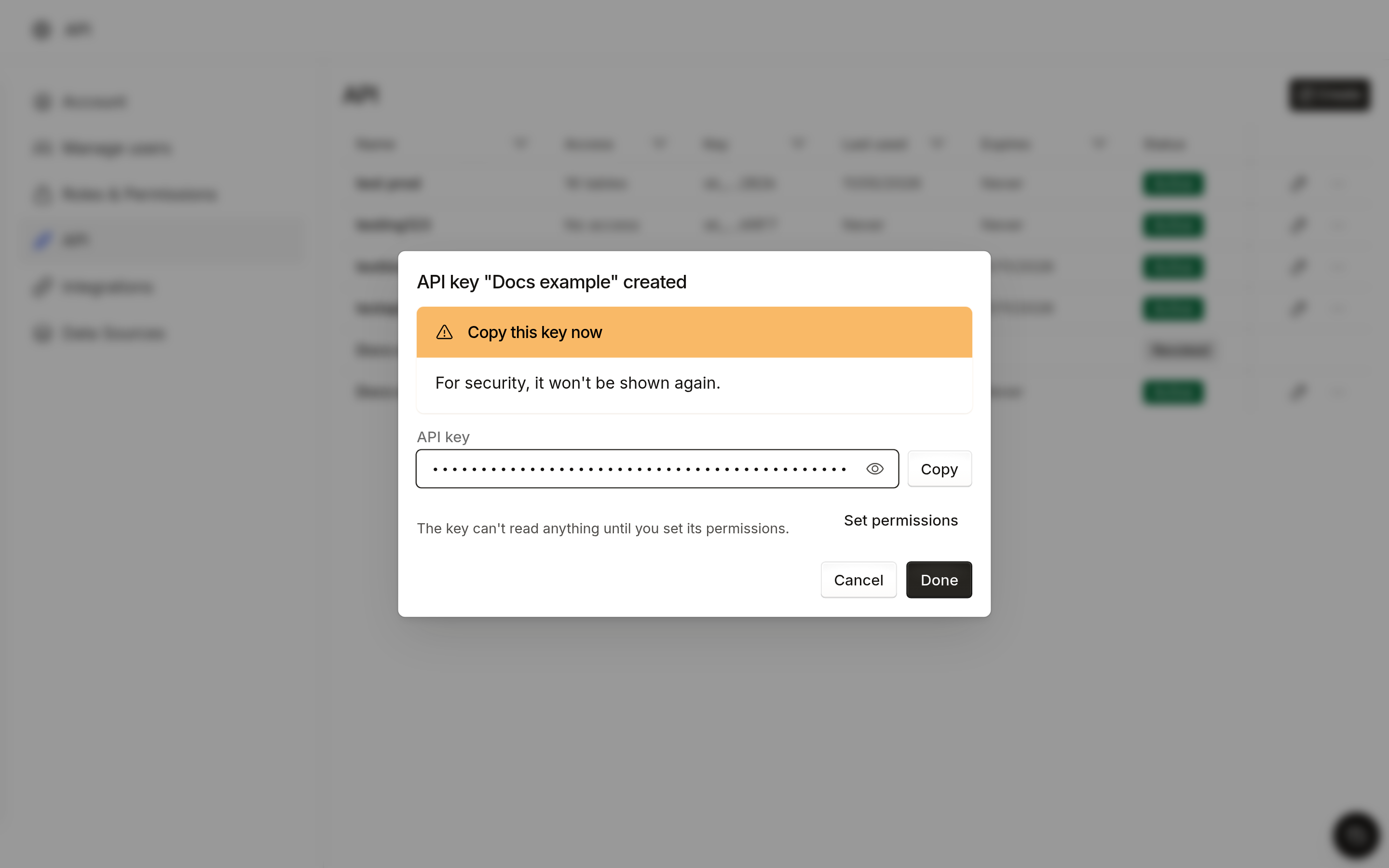
- Enter a name for the key, for ex: enterprise-doss-data and choose an expiry date if needed. If you do not choose one, the API key does not expire.
- Copy the key and store it in your secrets manager. Doss shows the full key only once.
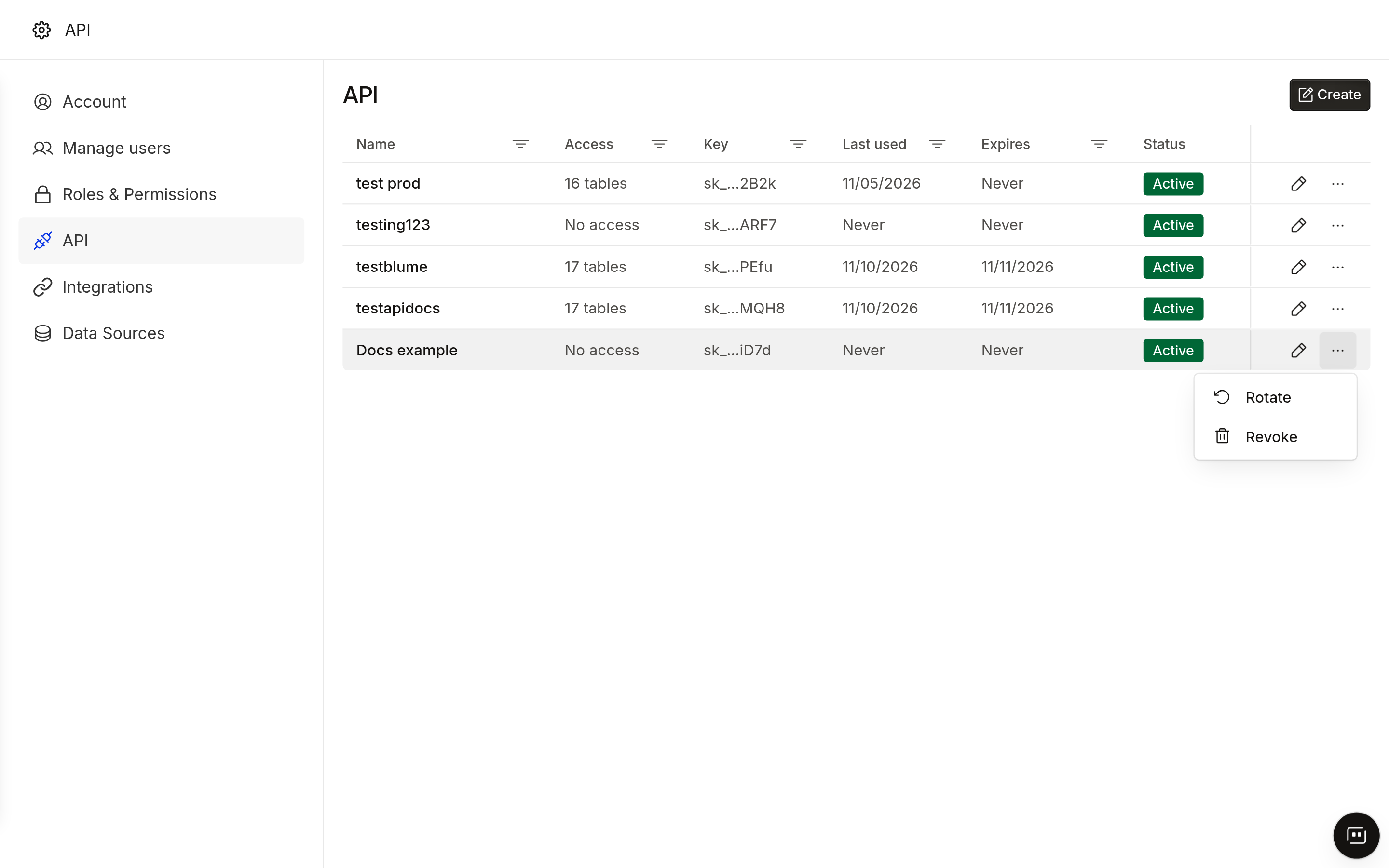
- Once you have created the key, click on Edit Permissions to give read permissions to the required data (tables / columns).
- Once you save this configuration, you can update permissions at any point.
Manage API keys
- See your key: Name → Account → API lists key’s name, creator, creation date and last use.
- Revoke a key: click Revoke next to the key. Requests using it fail with
401 invalid_api_key.
If a key may have been exposed, revoke it immediately and contact your account team.